|
|
|
 |
These guidelines will help you prepare the information and photographs required for submitting your advert. To save time and minimise any errors it is suggested this information be prepared before completing the Form which is downloaded for immediate return after making your payment .
Title
Description
Price
Category
Contact
Images
Video
Terms
Error Messages
Support
Title
The title of the item should be short and precise with up to a max number of 30 characters and spaces.
Description
Up to maximum of 400 characters and spaces are available for a detailed description of the item`s features, including dimensions if appropriate.
It is suggested the description be prepared on the computer and saved as a separate file from which you can copy and paste directly into the form.
Price
Only use numerals without the £ sign, for example, 35.00
Category
Select a category most appropriate for your item.
Contact
Provide a telephone number which will be used by potential buyers.
Usual precautions should be taken when giving information over the phone regarding times of occupancy, etc.
Top of page
Images
The photograph is an essential part of the advert and should reflect the features and quality of the item being advertised to justify its perceived value.
Care and attention should be given to taking a good quality image, which is easier with today`s digital cameras.
Having transferred the image onto your computer rename the image file with an appropriate name, the item`s description for example, and save.
The image you can upload must be a "jpg" file and reduced to 400 pixels high for both portrait and landscape formats. Do not enlarge to 400 high because this will affect quality.
If you have experience of using photo editing software you can reduce the original image size to 400 pixels high and save as a "jpg" file (Most digital cameras already save images as "jpg" files).
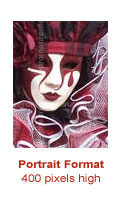 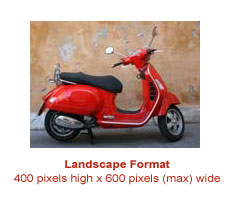
For those with less experience there are websites which will achieve the requirements very easily and free of charge. Examples of these are provided below together with notes on their use:
www.resizemypicture.com
Choose More Options / Click by Height and enter 400 / Click Resize Button at bottom of page /
Right click on image and select Save Picture As (Not download image button) /
Name the image file and select the folder where you want to save it and Save.
www.picresize.com
Select you image / Choose Quick Resize Option /
Enter 400 in height box (change Per Cent to Pixels /
Click Resize Picture / Choose Click here to download image /
Name the image file and select the folder where you want to save it and Save.
Top of page
Video Clips
You can upload a video clip in the following formats, ".mov" and ".mpeg".
The video image width should be a maximum 320 pixels.
The length of the video clip should be a maximum of 30 seconds. It is worth remembering than the majority of tv commercials are 20 - 30 seconds long.
Terms
You have to check this box to confirm you have read and agree the terms of conditions.
Error Messages during Form Completion
An error message will be displayed on the webpage if any of the "boxes" are left empty or there is an error with the contents.
The message will clearly indicate where and what the problem is and you return to the form to correct the error by clicking the browser`s return arrow (usually top left of the screen).
Additional Support
Should you still require guidance on any aspect of the form completion please contact us:
email: support@eurom.co.uk
Top of page
|
|
 |
|
|
|
